How To Select The Best Service For Your Website / Business
הדפסה- 1
Choosing the right hosting service for your website or business is a crucial decision that can significantly impact your online presence. Whether you're just starting or looking to scale your operations, selecting the appropriate hosting plan ensures that your website runs smoothly, securely, and efficiently. Here’s a step-by-step guide to help you make an informed decision.
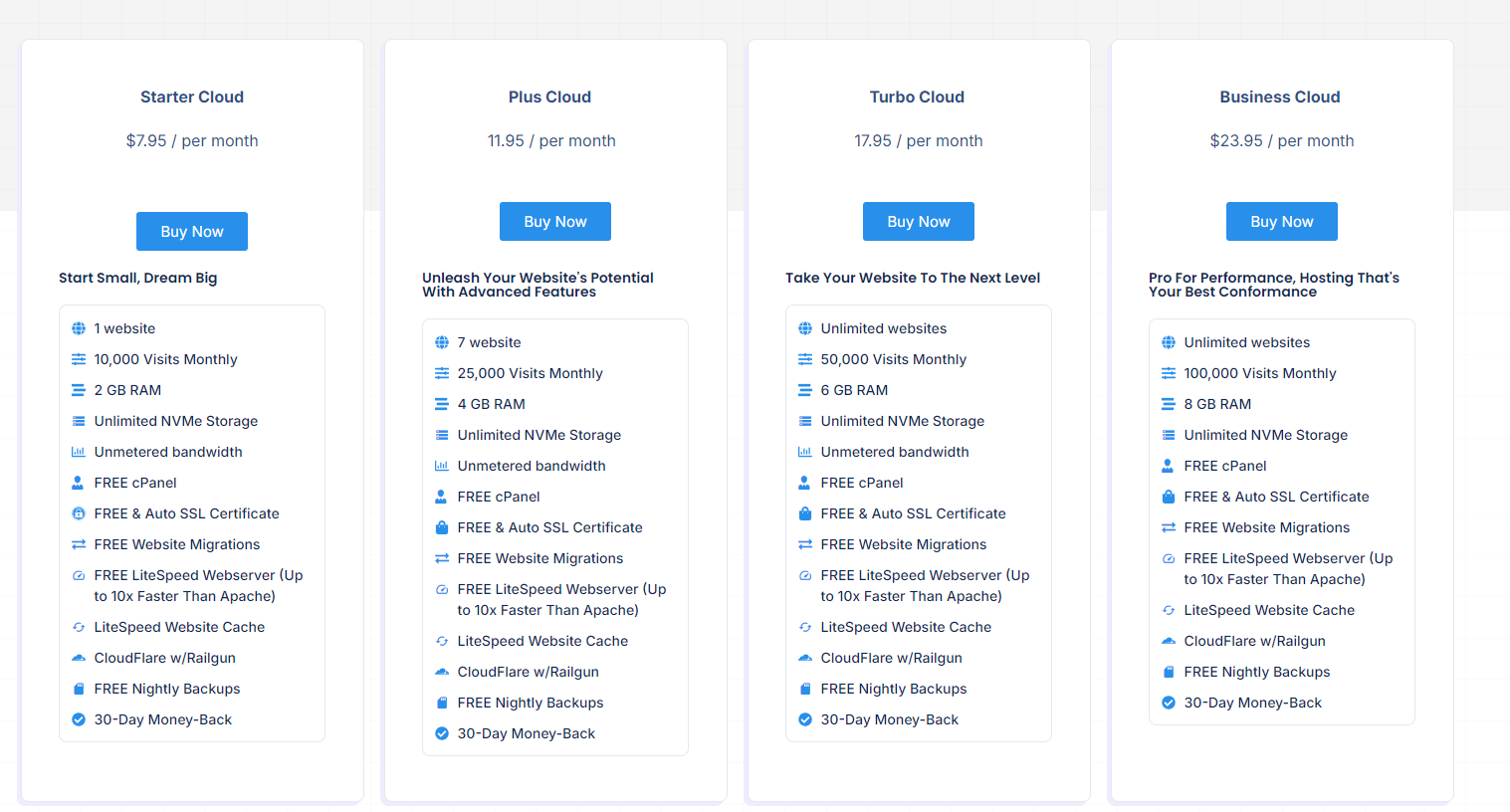
1. Assess Your Website’s Needs
Before selecting a hosting service, it's important to evaluate what your website requires. Consider factors such as:
- Type of Website: Is it a blog, an e-commerce site, or a portfolio?
- Traffic Volume: How much traffic do you expect to receive?
- Technical Requirements: Do you need specific software or configurations?
- Scalability: Will your site grow, and how quickly might you need to upgrade?
Understanding these needs will guide you in choosing a service that fits your specific requirements.
2. Understand the Different Types of Hosting Services
There are various types of hosting services available, each with its own advantages:
- Cloud Hosting: Ideal for beginners and small websites, shared hosting is affordable but may have limitations in terms of performance and resources.
- VPS Hosting: Virtual Private Server hosting offers more control and resources, suitable for growing websites that need more power.
- Dedicated Hosting: For large businesses or high-traffic websites, dedicated hosting provides an entire server dedicated to your site, offering maximum performance and security.
- Cloud Hosting: Scalable and flexible, cloud hosting is perfect for businesses that experience variable traffic and need to scale resources on demand.
Choose a hosting type that aligns with your website’s current and future needs.
3. Consider the Features and Resources Offered
Look for the features that are essential to your website's operation:
- Storage and Bandwidth: Ensure the hosting plan offers sufficient storage and bandwidth to handle your website’s content and traffic.
- SSL Certificates: Security is paramount, so make sure your hosting service includes SSL certificates for encrypting data.
- Backup Services: Regular backups are essential to protect your data. Check if the hosting provider offers automated backup services.
- Customer Support: Reliable customer support can save you in times of trouble. Opt for a hosting service with 24/7 support.
4. Evaluate the Performance and Uptime
Performance is key to user experience. Check the hosting provider’s uptime guarantee and server performance. A good hosting service should offer at least 99.9% uptime and fast server response times to ensure your site is always available to visitors.
5. Consider the Cost and Value
While cost shouldn’t be the only factor, it’s important to find a hosting service that offers good value for your money. Compare the features and resources provided in each plan and consider the long-term costs, including any potential upgrade fees.
6. Read Reviews and Seek Recommendations
Finally, take the time to read reviews from other users and seek recommendations from trusted sources. This can provide insight into the hosting provider’s reliability, customer service, and overall performance.
Conclusion
Selecting the best hosting service for your website or business is about finding the right balance between your needs, the features offered, and your budget. By carefully evaluating your options and understanding the different types of hosting services, you can make an informed decision that will set your website up for success.
?האם התשובה שקיבלתם הייתה מועילה
מאמרים קשורים
How To Register A Domain, Signup For Web Hosting & Create A Serverlys Account Setting up your online presence with Serverlys involves three key steps: registering a domain,...
How To Setup Your Web Hosting Account Setting up your web hosting account is the first step toward launching your website. Whether...
How To Move Your Websites & Domains To Serverlys Migrating your websites and domains to Serverlys is a seamless process that ensures your online...
How To Manually Migrate Your Website Using cPanel
Powered by WHMCompleteSolution


