DomainsServerlys team7 min read
WHOIS Privacy: Why You Should Hide Your Domain Details
Summarize with:
Learn what WHOIS privacy protection is, why it matters, and how to enable it. Protect your personal information from spammers, scammers, and identity thieves.
Every domain name registered on the internet is required to have contact information associated with it. This information — including the registrant's full name, physical address, phone number, and email address — is stored in a public database called WHOIS (pronounced "who is"). Anyone can look up any domain and see this information, no account or authentication required.
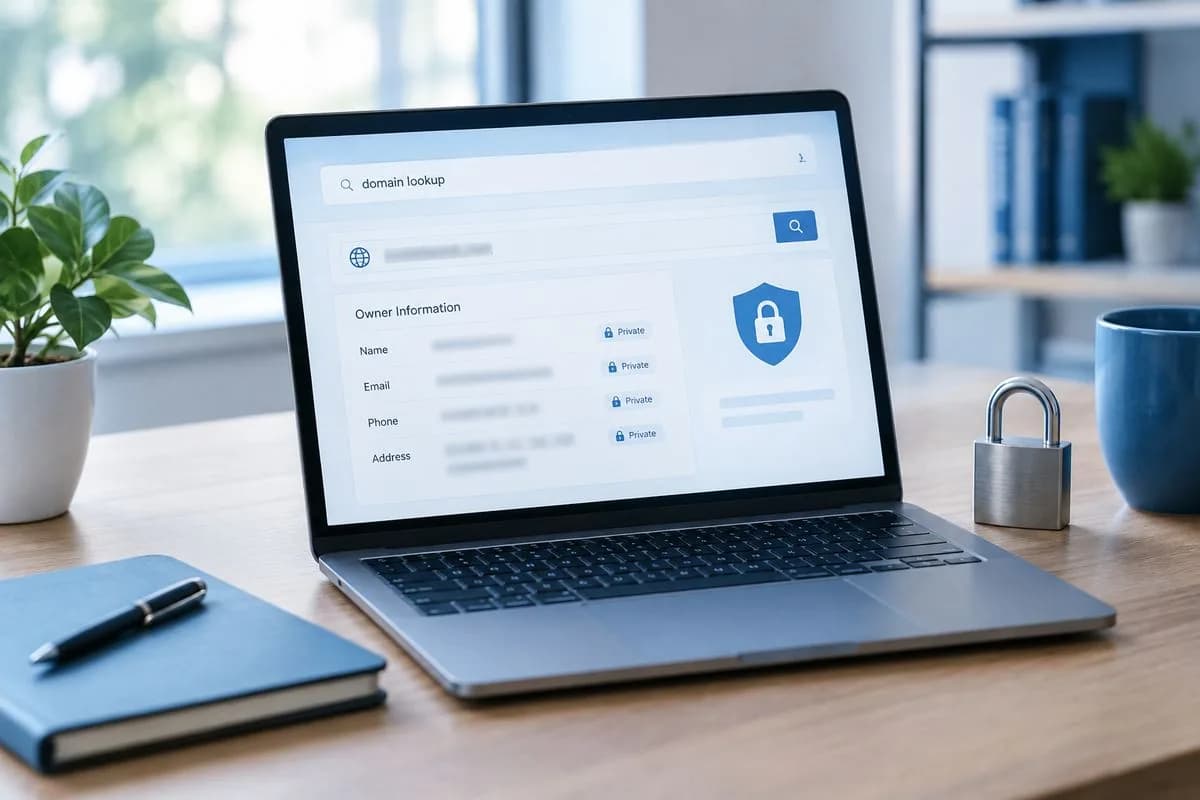
For individuals and small business owners, this means registering a domain can expose your home address, personal phone number, and email to the entire world. WHOIS privacy protection (also called domain privacy, ID protection, or WHOIS guard) replaces your personal details with proxy information, keeping your identity shielded while maintaining your full ownership of the domain.
What Exactly Is WHOIS?
WHOIS is a query-and-response protocol that has been in use since the earliest days of the internet (1982, to be precise). When you register a domain, ICANN requires registrars to collect and publish certain contact information. A standard WHOIS record contains:
- Registrant Name: The person or organization that owns the domain
- Registrant Organization: The company name (if applicable)
- Registrant Address: Full street address, city, state, zip code, country
- Registrant Phone: Phone number with country code
- Registrant Email: Contact email address
- Admin Contact: Administrative contact information (often the same as registrant)
- Tech Contact: Technical contact information
- Registrar: The company where the domain is registered
- Registration Date: When the domain was first registered
- Expiration Date: When the domain registration expires
- Nameservers: The DNS servers handling the domain
Anyone can perform a WHOIS lookup on any domain in seconds. Data brokers, spammers, scammers, and competitors all use WHOIS data for various purposes — most of them not in your interest.
Why WHOIS Privacy Matters
1. Spam Prevention
The moment your domain goes live, your WHOIS email and phone number become targets. Automated scrapers harvest WHOIS databases daily, feeding the information into spam lists. Domain owners without privacy protection routinely report receiving:
- Dozens of spam emails per day offering SEO services, web design, domain sales, and fake renewal notices
- Unsolicited phone calls from marketing companies and scammers
- Physical mail soliciting "domain listing" services (which are essentially scams)
With privacy protection enabled, the proxy email and phone number absorb this spam instead of your real contact information.
2. Identity Theft Protection
Your WHOIS data provides a significant amount of personal information that identity thieves can use. A full name combined with a physical address and phone number is often enough to begin a social engineering attack, open fraudulent accounts, or piece together a more complete identity profile.
For individuals who run websites from their home address, the exposure is particularly concerning. Your home address becomes publicly searchable and permanently archived by multiple WHOIS history services.
3. Domain Hijacking Prevention
Domain hijackers use WHOIS data to identify domain owners, then impersonate them to gain control of valuable domains. Common tactics include contacting the registrar with enough personal details (gleaned from WHOIS) to pass identity verification, initiating unauthorized domain transfers, or using social engineering to reset account passwords.
WHOIS privacy adds a layer of obscurity that makes these attacks significantly harder to execute.
4. Competitor Intelligence Protection
In competitive industries, businesses routinely look up competitors' WHOIS data to identify who owns which domains, discover related properties, and map out business structures. If you're running multiple brands, side projects, or testing new business ideas, exposed WHOIS data can reveal your entire domain portfolio.
WHOIS privacy isn't about hiding from the law or being secretive. It's about basic digital hygiene — the same reason you don't publish your home address and phone number on a billboard.
How WHOIS Privacy Protection Works
When you enable WHOIS privacy, your registrar replaces your personal contact information with proxy details. Here's what the change looks like:
| Field | Without Privacy | With Privacy |
|---|---|---|
| Registrant Name | John Smith | Privacy Protection Service |
| Address | 123 Main St, Miami, FL 33101 | PO Box 639, Kirkland, WA 98083 |
| Phone | +1 (305) 555-1234 | +1 (425) 555-0000 |
| john@email.com | proxy8294@privacyguard.com |
The proxy service forwards legitimate communications (like legal inquiries or abuse reports) to your real email while filtering out spam. You retain full ownership and control of the domain — the privacy service only masks your public-facing contact information.
GDPR and the Evolution of WHOIS
The European Union's General Data Protection Regulation (GDPR), which took effect in May 2018, fundamentally changed how WHOIS data is handled. Under GDPR, publishing personal information without consent violates privacy rights, creating a direct conflict with ICANN's traditional requirement to publish registrant details.
As a result, most registrars now automatically redact personal information from WHOIS records for EU-based registrants. However, this protection varies by registrar and geography:
- EU registrants: Personal data is automatically redacted in most cases due to GDPR
- US registrants: No equivalent federal privacy law requires automatic redaction. WHOIS privacy must be actively enabled.
- Other regions: Protection varies based on local privacy laws and registrar policies
Even if GDPR protects your data automatically, enabling WHOIS privacy adds an additional layer of protection and ensures consistency regardless of regulatory changes.
Common WHOIS Privacy Myths
Myth: WHOIS Privacy Hurts SEO
False. Google does not use WHOIS data as a ranking factor. Google's John Mueller has confirmed this directly. Your domain's SEO performance is entirely unaffected by whether WHOIS privacy is enabled or disabled.
Myth: WHOIS Privacy Makes You Anonymous
Not exactly. WHOIS privacy shields your information from casual lookups, but it doesn't make you invisible. Law enforcement and parties with valid legal claims can request your real information through the registrar. WHOIS privacy protects you from spammers and opportunists, not from legitimate legal processes.
Myth: Businesses Must Show Real WHOIS Data
There is no ICANN rule or legal requirement that businesses must display their actual registrant information in WHOIS. Many Fortune 500 companies use WHOIS privacy services. The only exception is if your industry's regulatory requirements specifically mandate public domain ownership disclosure.
Myth: WHOIS Privacy Is Expensive
Some registrars charge $5-15/year for WHOIS privacy, positioning it as a premium add-on. However, many modern registrars (including Serverlys) include it for free with every domain registration. If your current registrar charges for WHOIS privacy, consider transferring your domain to one that doesn't.
When Should You Disable WHOIS Privacy?
In most cases, you should keep WHOIS privacy enabled. However, there are rare situations where displaying real WHOIS data may be beneficial:
- Domain sales: If you're actively selling a domain, showing your real contact information can make it easier for potential buyers to reach you
- Regulatory requirements: Certain regulated industries may require public disclosure of domain ownership
- Business transparency: Some large organizations choose to show their corporate information (not personal) in WHOIS as a trust signal
- During domain transfers: Some transfers require temporarily disabling privacy so the registrant email is accessible for approval confirmations
How to Check If Your Domain Has WHOIS Privacy
The quickest way to check is to perform a WHOIS lookup on your own domain. Use our free WHOIS lookup tool and search for your domain name. If the results show your personal name and address, privacy is not enabled. If they show proxy or privacy service information, you're protected.
How to Enable WHOIS Privacy
- Log into your domain registrar's dashboard
- Navigate to the domain management section
- Look for "Privacy Protection," "WHOIS Guard," "ID Protection," or similar
- Enable the privacy toggle or purchase the privacy add-on
- Verify by running a WHOIS lookup after a few minutes
If your registrar charges for this service, consider whether the cost is justified or if it's worth switching to a registrar that includes it for free.
Frequently Asked Questions
Does WHOIS privacy affect email delivery?
No. WHOIS privacy only changes the public-facing contact information in the WHOIS database. It has no impact on your email delivery, MX records, or DNS configuration.
Can someone still find out who owns a domain with WHOIS privacy enabled?
Law enforcement agencies and parties with valid legal complaints can request the real registrant information through the registrar or privacy service provider. Casual lookups by the general public will only see the proxy information.
Is WHOIS privacy available for all TLDs?
Most gTLDs (.com, .net, .org, .io, .co, etc.) support WHOIS privacy. However, some ccTLDs (country-code TLDs) have restrictions. For example, .us domains do not allow WHOIS privacy due to US government requirements. Always check with your registrar for TLD-specific limitations.
Does WHOIS privacy need to be renewed separately?
At registrars that charge for privacy, it typically renews alongside your domain registration. At registrars that include it for free (like Serverlys), it remains active as long as your domain is registered.
Can I use WHOIS privacy if I'm a business?
Yes. Both individuals and businesses can use WHOIS privacy. Many businesses prefer to use privacy protection to prevent competitors from easily mapping their domain portfolio or to reduce spam directed at their contact information.

The author
Serverlys team
The people who run Serverlys hosting, domains and support. We write about what we see every day helping small businesses keep their websites fast, safe and online.
More from Serverlys team