DomainsServerlys team10 min read
Does Your Domain Name Affect SEO? What Google Cares About
Summarize with:
Learn how your domain name impacts SEO rankings in 2026. We break down exact match domains, brandable names, TLD influence
Every website owner asks this question at some point: does my domain name actually affect my search rankings? The answer is nuanced. Your domain name won't single-handedly launch you to page one of Google, but it plays a supporting role in several ranking factors that collectively make a real difference.
In this guide, we'll break down exactly how your domain name interacts with Google's algorithms, what the data actually shows about exact match domains versus brandable names, and the domain decisions that can help or hurt your SEO in 2026.
The History of Domains and SEO
To understand where we are now, it helps to know where we've been. In the early days of search engines, domain names carried enormous ranking weight. If you owned "best-pizza-new-york.com," you had a genuine advantage for that search query. This led to an entire industry of domain squatting, where speculators bought up keyword-rich domains and either parked them with ads or sold them at inflated prices.
Google recognized this problem. In September 2012, they rolled out what's informally known as the EMD (Exact Match Domain) update. This algorithm change reduced the ranking boost that low-quality sites received simply by having keywords in their domain name. The update didn't eliminate the influence of domain names entirely — it just made sure that a keyword-stuffed domain couldn't compensate for thin content and poor user experience.
Since then, Google has continued to refine how domain names factor into rankings. The algorithm is sophisticated enough to distinguish between a legitimate brand that happens to have keywords in its name (like booking.com) and a spammy site trying to game the system (like cheap-flights-deals-2026.com).
How Domain Names Actually Influence SEO in 2026
Your domain name affects SEO through several indirect mechanisms. None of these are direct ranking factors in isolation, but they compound to create meaningful differences in how your site performs in search.
1. Click-Through Rate from Search Results
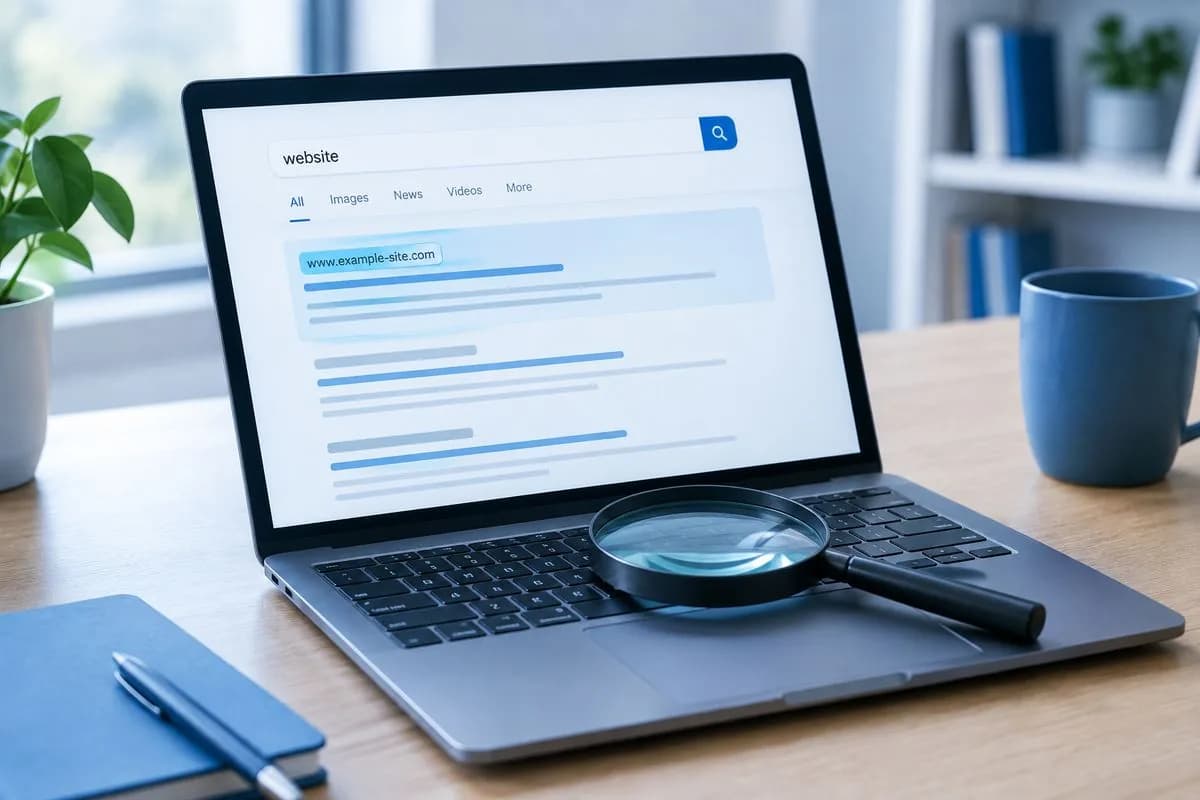
When your domain appears in search results, users make split-second judgments about whether to click. A professional, trustworthy-looking domain gets more clicks than a sketchy or confusing one. And click-through rate (CTR) is a signal Google uses to evaluate whether search results are serving users well.
Consider these two results appearing for the same query:
- serverlys.com/blog/domain-guide — Clean, brandable, professional
- best-cheap-domains-2026-deals.info/p123 — Looks spammy, triggers distrust
The first URL earns more clicks, which sends positive signals to Google about that result's relevance. Over time, higher CTR contributes to better rankings — and it starts with a domain name people trust.
2. Brand Recognition and Search Demand
A memorable, brandable domain name generates what's called "branded search demand." When people search for your brand by name, Google interprets this as a trust signal. If hundreds of people search "Serverlys hosting" every month, Google understands that Serverlys is a legitimate entity with real demand.
This is much harder to achieve with a generic domain like "affordable-hosting-provider.com." Nobody searches for that brand name because it doesn't feel like a brand — it feels like a keyword strategy.
3. Backlink Anchor Text
When other websites link to you, they often use your domain name or brand name as the anchor text. If your domain naturally contains a relevant keyword, you accumulate keyword-rich backlinks organically. For example, a site called "CloudHostReviews.com" naturally earns backlinks with anchor text like "CloudHostReviews" — which contains the keywords "cloud host."
This isn't about gaming the system. It's a natural byproduct of having a domain name that descriptively relates to your business.
4. User Trust and Engagement Metrics
Domain names influence how users perceive your site before they even visit it. A professional domain leads to longer visit durations, lower bounce rates, and more page views per session. Google tracks these engagement metrics as quality signals. A domain that makes users hesitant to click or quick to leave hurts your rankings indirectly.
Exact Match Domains: Still Worth It?
An exact match domain (EMD) is a domain that precisely matches a search query. Examples include "webhosting.com," "carinsurance.com," or "pizzadelivery.com." These were once SEO goldmines, and some still hold significant value — but the landscape has changed dramatically.
When EMDs Still Work
- High-authority sites with real content: Domains like booking.com, hotels.com, and cars.com still rank exceptionally well. But they also have massive content libraries, strong backlink profiles, and excellent user experiences.
- Local businesses with geographic keywords: A domain like "miamielectrician.com" can still provide a modest advantage for local search, especially when combined with strong local SEO fundamentals.
- Niche authority sites: If you're building a comprehensive resource around a specific topic, having a keyword-relevant domain adds contextual signals that support your content strategy.
When EMDs Backfire
- Thin content on a keyword domain: Google's EMD update specifically targets sites that rely on their domain name rather than their content. A thin site on "best-web-hosting.com" will be penalized, not rewarded.
- Overly long or hyphenated domains: Domains like "best-cheap-web-hosting-2026.com" look spammy to both users and search engines. They hurt CTR and brand perception.
- Multiple keyword domains for the same business: Running five different keyword domains that all point to the same content is a tactic Google has learned to detect and devalue.
Does Your TLD (Domain Extension) Affect SEO?
Google has stated explicitly that all generic top-level domains (gTLDs) are treated equally in search. A .com has no inherent ranking advantage over a .io, .co, .store, or .xyz from an algorithmic standpoint. But there are practical differences that indirectly affect your SEO performance.
| TLD | User Trust Level | SEO Impact | Best For |
|---|---|---|---|
| .com | Highest | Indirect (via trust/CTR) | Any business, global audience |
| .org | High | Indirect (credibility) | Non-profits, organizations |
| .io | Moderate-High | Neutral | Tech startups, SaaS |
| .co | Moderate | Neutral | Startups, creative agencies |
| .store | Moderate | Neutral | E-commerce businesses |
| .xyz | Lower | Neutral (but trust concerns) | Tech projects, personal sites |
| ccTLDs (.uk, .de) | High (locally) | Positive for local SEO | Country-specific businesses |
The key takeaway: while Google treats TLDs equally, users don't. A .com domain earns more trust clicks than a .xyz domain for the same search query. That trust difference translates into CTR differences, which ultimately affect rankings.
Country-Code TLDs and Geographic Targeting
Country-code TLDs (ccTLDs) like .uk, .de, .fr, and .ca are the exception. Google does use ccTLDs as a geographic signal, giving sites with country-specific TLDs a ranking advantage in their target country. If your business operates exclusively in Germany, a .de domain provides a genuine SEO benefit for German search results.
However, ccTLDs can limit your visibility in other countries. A .de domain will have a harder time ranking in US search results compared to a .com domain.
Domain Age and Authority
There's a persistent myth that older domains automatically rank better. Google's John Mueller has directly stated that domain age is not a ranking factor. A domain registered in 2005 has no inherent advantage over a domain registered in 2025.
What does matter is the history of that domain. A domain that has been building quality content, earning backlinks, and serving users well for 20 years will naturally have more authority than a brand-new domain. But that authority comes from the content and links, not the registration date.
Domain age as a ranking factor is a myth. What matters is the quality of content and the trust signals your site has built over time — whether that's two months or twenty years.
Buying Old Domains for SEO
Some SEO practitioners buy expired or aged domains hoping to inherit their authority. This can work if the domain has a clean history and relevant backlinks, but it carries significant risks. Google can detect when a domain changes ownership and purpose, and any spammy history associated with the domain can follow it to the new owner. We cover this in depth in our guide to buying expired domains.
Domain Name Best Practices for SEO in 2026
Keep It Short and Memorable
The ideal domain name is 6-14 characters. Shorter domains are easier to type, easier to remember, and look cleaner in search results. They also tend to earn more direct type-in traffic and branded searches, both of which support SEO.
Avoid Hyphens and Numbers
Hyphens in domain names are strongly correlated with spammy sites. This association developed because spammers historically used hyphens to string keywords together (like "best-cheap-hosting-deals.com"). Even if your site is legitimate, a hyphenated domain carries that stigma in users' minds and potentially in Google's quality assessments.
Numbers create similar confusion. Is it "4sale" or "forsale"? Is it "hosting247" or "hosting24seven"? Ambiguity is the enemy of memorability.
Include a Keyword Naturally (If Possible)
If you can include a relevant keyword in your domain name without making it sound forced, do it. "Serverlys" naturally suggests servers and hosting. "Mailchimp" naturally suggests email. These domain names include topical relevance while still being brandable and memorable.
The key word is "naturally." Don't sacrifice brandability for keyword inclusion. "JohnsWebHostingServices.com" includes keywords but fails as a brand.
Choose .com When Possible
All other things being equal, .com remains the strongest choice for most businesses. Users default to typing .com, which means a non-.com domain will leak some traffic to whoever owns the .com version. If the .com is unavailable, .co, .io, and industry-specific TLDs like .store or .tech are solid alternatives.
Check the Domain's History Before Buying
Before registering or purchasing any domain, check its history using the Wayback Machine and a WHOIS lookup tool. A domain that was previously used for spam, adult content, or link farms may carry penalties that will handicap your SEO from day one.
Common Domain Name SEO Mistakes
Mistake 1: Choosing a Domain Purely for Keywords
Prioritizing keywords over brandability creates domains that look spammy, are hard to remember, and don't build lasting brand equity. "BestCheapWebHosting2026.com" might seem smart for SEO, but it damages trust, limits your brand, and Google's EMD update specifically targets this approach.
Mistake 2: Switching Domains Without Proper Redirects
If you rebrand and change your domain name, failing to implement proper 301 redirects can destroy years of SEO equity overnight. Every old URL needs to redirect to its equivalent on the new domain, and the process should be done carefully to preserve link equity. Our domain transfer guide covers this process in detail.
Mistake 3: Using Multiple Domains for SEO
Some businesses register multiple keyword domains (like "cheap-hosting.com," "best-hosting.com," "hosting-deals.com") and point them all to the same site. This doesn't help SEO — it dilutes your authority across multiple domains and can trigger duplicate content issues.
Mistake 4: Ignoring Domain Name in Email
Your domain name appears in every email you send. A professional email address (hello@yourbrand.com) builds brand recognition with every message. Using a domain like "x7hosting-deals.com" for email hurts your professional image and can affect email deliverability.
The Relationship Between Domains and Technical SEO
HTTPS and SSL
Regardless of your domain name, your site must use HTTPS. Google confirmed HTTPS as a ranking signal back in 2014, and by 2026, browsers actively warn users about non-HTTPS sites. Every domain you register should have an SSL certificate installed immediately. Most quality hosts, including Serverlys, include free SSL with every plan.
Domain-Level Redirects
Your domain should resolve consistently. Whether someone types "yourdomain.com," "www.yourdomain.com," "http://yourdomain.com," or "https://www.yourdomain.com," they should all resolve to a single canonical version. Inconsistent resolution creates duplicate content issues that dilute your SEO authority.
Subdomain vs. Subdirectory
How you structure content under your domain matters for SEO. Placing your blog at "blog.yourdomain.com" (subdomain) versus "yourdomain.com/blog" (subdirectory) has different SEO implications. Generally, subdirectories consolidate authority under one domain, while subdomains can be treated as separate entities by Google. We explore this topic thoroughly in our subdomain vs. subdirectory guide.
Frequently Asked Questions
Does changing my domain name hurt SEO?
Temporarily, yes. Even with perfect 301 redirects, a domain change typically causes a short-term ranking dip lasting 2-6 months. Google needs time to associate your existing authority with the new domain. However, if done correctly with comprehensive redirects, your rankings should recover and potentially improve if the new domain is more brandable and trustworthy.
Should I buy a .com even if it costs more?
For most businesses, yes. The .com version of your brand prevents competitors or squatters from owning it, reduces user confusion, and carries the highest trust with searchers. The premium is usually worth it for a business domain you'll use for years.
Do keywords in the domain still help with rankings?
They provide a minor, indirect benefit when combined with strong content and legitimate branding. A keyword in your domain won't help a bad site rank, but it can provide a slight edge for an already well-optimized site. Never sacrifice brandability for keyword inclusion.
Is a longer domain name bad for SEO?
Domain length itself isn't a ranking factor, but longer domains tend to perform worse because they're harder to remember, harder to type, and look less professional in search results. Aim for 6-14 characters when possible.
How does domain privacy affect SEO?
Domain privacy (WHOIS protection) has no effect on SEO. Google does not use WHOIS data as a ranking factor. Enabling WHOIS privacy protection is recommended for security and spam prevention without any SEO downside.

The author
Serverlys team
The people who run Serverlys hosting, domains and support. We write about what we see every day helping small businesses keep their websites fast, safe and online.
More from Serverlys team