PerformanceServerlys team7 min read
GZIP vs Brotli: Which Compression Should You Use?
Summarize with:
Compare GZIP and Brotli compression for web servers. Learn how each algorithm works, compression ratios, speed benchmarks, browser support
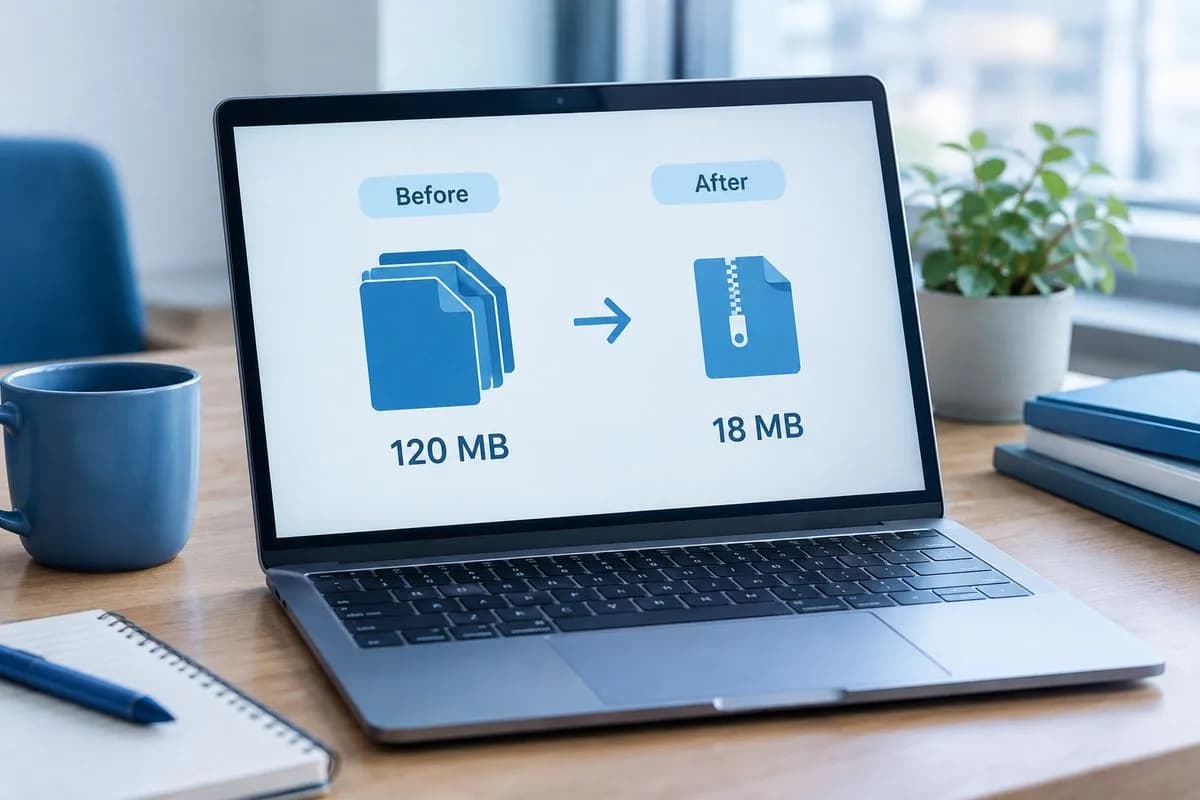
Every time your web server sends a text-based file to a browser — HTML, CSS, JavaScript, JSON, XML, SVG — it can compress that file first. A 200KB JavaScript file might compress to 50KB, saving 150KB of bandwidth and significantly reducing download time. This compression happens transparently: the server compresses, the browser decompresses, and the user sees the content faster.
Two compression algorithms dominate the web: GZIP, which has been the standard since the mid-1990s, and Brotli, developed by Google and released in 2015. Both are widely supported, but they have different performance characteristics that matter for your site speed.
How HTTP Compression Works
When a browser requests a page, it sends an Accept-Encoding header listing the compression algorithms it supports. A modern browser sends:
Accept-Encoding: gzip, deflate, br
The server checks this header and responds with compressed content, indicating the algorithm used in the Content-Encoding header. If the server supports Brotli and the browser does too, it sends Brotli-compressed content. Otherwise, it falls back to GZIP.
Compression only works on text-based files. Images (JPEG, PNG, WebP), videos, and other binary formats are already compressed and won't benefit from HTTP compression. Attempting to compress them wastes CPU without reducing file size.
GZIP: The Reliable Standard
GZIP has been the web's compression standard for nearly three decades. It uses the DEFLATE algorithm (a combination of LZ77 and Huffman coding) to find and eliminate redundancy in text data.
GZIP Strengths
- Universal support — Every browser, server, CDN, and proxy supports GZIP. Zero compatibility concerns.
- Fast compression speed — At lower compression levels (1–6), GZIP compresses quickly with minimal CPU overhead, suitable for dynamic content generated on-the-fly.
- Mature tooling — Decades of optimization mean GZIP implementations are extremely stable and well-tested.
- Low memory usage — GZIP requires minimal memory for both compression and decompression.
GZIP Weaknesses
- Lower compression ratio — At equivalent CPU cost, GZIP produces larger files than Brotli.
- Limited dictionary — GZIP can only find patterns within the current file. It doesn't have a built-in dictionary of common web patterns.
- Diminishing returns at high levels — GZIP levels 7–9 increase CPU usage significantly with minimal additional compression.
Brotli: Google's Modern Alternative
Brotli was developed by Google engineers Jyrki Alakuijala and Zoltan Szabadka and released in 2015. It uses a combination of LZ77, Huffman coding, and a second-order context model with a built-in dictionary of common web patterns.
Brotli Strengths
- 15–25% better compression — Brotli consistently produces smaller files than GZIP at equivalent quality settings.
- Built-in web dictionary — Brotli includes a 120KB dictionary of common HTML, CSS, and JavaScript patterns. This means it can compress web content more effectively because it already "knows" common strings.
- Better for static assets — At high compression levels (10–11), Brotli achieves significantly better ratios than GZIP, making it ideal for pre-compressed static files.
- Fast decompression — Brotli decompresses roughly as fast as GZIP, so browser-side performance is equivalent.
Brotli Weaknesses
- Slower compression at high levels — Brotli at level 11 is 10–15x slower to compress than GZIP at level 9. Not suitable for on-the-fly compression of dynamic content at high levels.
- HTTPS only — Brotli requires HTTPS. It doesn't work over plain HTTP (though every modern site should be on HTTPS anyway).
- Slightly higher memory usage — Brotli's sliding window can be larger than GZIP's, using more memory during compression.
Head-to-Head Benchmarks
We compressed common web assets using both algorithms at their recommended levels:
| File Type | Original | GZIP (level 6) | Brotli (level 6) | Brotli (level 11) |
|---|---|---|---|---|
| HTML (50KB page) | 50 KB | 12.5 KB (75%) | 11.0 KB (78%) | 9.8 KB (80%) |
| CSS (150KB stylesheet) | 150 KB | 28.5 KB (81%) | 24.0 KB (84%) | 20.1 KB (87%) |
| JavaScript (300KB bundle) | 300 KB | 78.0 KB (74%) | 66.0 KB (78%) | 57.0 KB (81%) |
| JSON API response (25KB) | 25 KB | 5.5 KB (78%) | 4.8 KB (81%) | 4.2 KB (83%) |
| SVG icon set (80KB) | 80 KB | 18.4 KB (77%) | 15.2 KB (81%) | 12.8 KB (84%) |
The pattern is consistent: Brotli at level 6 (suitable for dynamic compression) is about 10–15% smaller than GZIP. At level 11 (pre-compression for static assets), Brotli is 20–25% smaller. For a typical webpage with 500KB of compressible assets, that's an additional 20–30KB savings with Brotli over GZIP.
Compression Speed Comparison
| Algorithm/Level | Compression Speed | Decompression Speed | Use Case |
|---|---|---|---|
| GZIP level 1 | 250 MB/s | 350 MB/s | Fastest, lowest ratio |
| GZIP level 6 | 40 MB/s | 350 MB/s | Best balance for dynamic content |
| GZIP level 9 | 15 MB/s | 350 MB/s | Maximum GZIP compression |
| Brotli level 4 | 80 MB/s | 400 MB/s | Fast dynamic compression |
| Brotli level 6 | 20 MB/s | 400 MB/s | Good balance for dynamic content |
| Brotli level 11 | 1.5 MB/s | 400 MB/s | Pre-compress static assets only |
Note that decompression speed (what matters for the browser) is similar for both algorithms. The compression speed difference only matters on the server side.
The Best Strategy: Use Both
The optimal approach is to use Brotli as the primary compression algorithm with GZIP as a fallback. Here's the recommended strategy:
- Static assets (CSS, JS, fonts) — Pre-compress with Brotli level 11 during build/deploy. These files don't change between requests, so you compress once and serve forever. The slow compression speed at level 11 doesn't matter because it only happens during deployment.
- Dynamic content (HTML, API responses) — Compress on-the-fly with Brotli level 4–6. This gives better compression than GZIP with acceptable CPU overhead.
- GZIP fallback — For the small percentage of requests from browsers or proxies that don't support Brotli, fall back to GZIP level 6.
How to Enable Compression
LiteSpeed (with .htaccess)
LiteSpeed supports Brotli natively. It's typically enabled by default. To verify and configure:
# Brotli is handled at server level in LiteSpeed # GZIP fallback via .htaccess: <IfModule mod_deflate.c> AddOutputFilterByType DEFLATE text/html text/css application/javascript application/json image/svg+xml </IfModule>
Nginx
Nginx requires the ngx_brotli module (not included by default). Once installed:
brotli on; brotli_comp_level 6; brotli_types text/html text/css application/javascript application/json image/svg+xml; gzip on; gzip_comp_level 6; gzip_types text/html text/css application/javascript application/json image/svg+xml;
Apache
Apache 2.4.48+ includes mod_brotli. Enable it alongside mod_deflate:
<IfModule mod_brotli.c> AddOutputFilterByType BROTLI_COMPRESS text/html text/css application/javascript application/json image/svg+xml </IfModule>
Via CDN (Cloudflare)
Cloudflare enables Brotli compression with a single toggle in the Speed settings. When enabled, Cloudflare compresses content with Brotli regardless of your origin server's configuration. This is the easiest path to Brotli for most websites.
How to Verify Compression
Check your compression using these methods:
- Chrome DevTools — Network tab, click a text resource, check the Response Headers for
Content-Encoding: br(Brotli) orContent-Encoding: gzip - curl command —
curl -I -H "Accept-Encoding: br,gzip" https://yoursite.comand check the Content-Encoding header - Online tools — KeyCDN's HTTP/2 Test, GTmetrix, or WebPageTest all report compression status
- PageSpeed Insights — Flags "Enable text compression" if compression is missing
If you're not compressing your text resources, you're sending 60–80% more data than necessary. Enabling GZIP is the bare minimum. Brotli takes it further with 15–25% better compression and is now supported by 97%+ of browsers.
Frequently Asked Questions
Is Brotli always better than GZIP?
For compression ratio, yes. Brotli consistently produces smaller files. However, at high compression levels, Brotli is much slower to compress. For dynamic content that needs to be compressed on every request, GZIP at level 6 and Brotli at level 4–6 are comparable in CPU usage, but Brotli still wins on compression ratio. For pre-compressed static assets, Brotli at level 11 is definitively better.
Does Brotli work with HTTP (not HTTPS)?
No. Brotli requires HTTPS. Browsers only advertise Brotli support (the "br" in Accept-Encoding) over secure connections. Since every modern website should use HTTPS (and it's free with Let's Encrypt), this shouldn't be a limitation.
Will compression slow down my server?
At reasonable compression levels (GZIP 4–6, Brotli 4–6), the CPU overhead is minimal compared to the bandwidth savings. A server that spends 2ms compressing a response saves the user 200ms of download time on a slow connection. The trade-off heavily favors compression. Only avoid high compression levels (GZIP 9, Brotli 10–11) for on-the-fly dynamic content.
What file types should I compress?
Compress all text-based formats: HTML, CSS, JavaScript, JSON, XML, SVG, plain text, and font files (WOFF is already compressed, but WOFF2 benefits marginally). Do not compress binary formats like JPEG, PNG, WebP, AVIF, MP4, or ZIP — they're already compressed and attempting to compress them wastes CPU.
Can I use Brotli without server configuration?
Yes. If you use a CDN like Cloudflare, you can enable Brotli at the CDN level without touching your server. Cloudflare compresses responses with Brotli on the edge, regardless of your origin server's compression settings. This is the simplest path for most websites.

The author
Serverlys team
The people who run Serverlys hosting, domains and support. We write about what we see every day helping small businesses keep their websites fast, safe and online.
More from Serverlys team