WordPressServerlys team9 min read
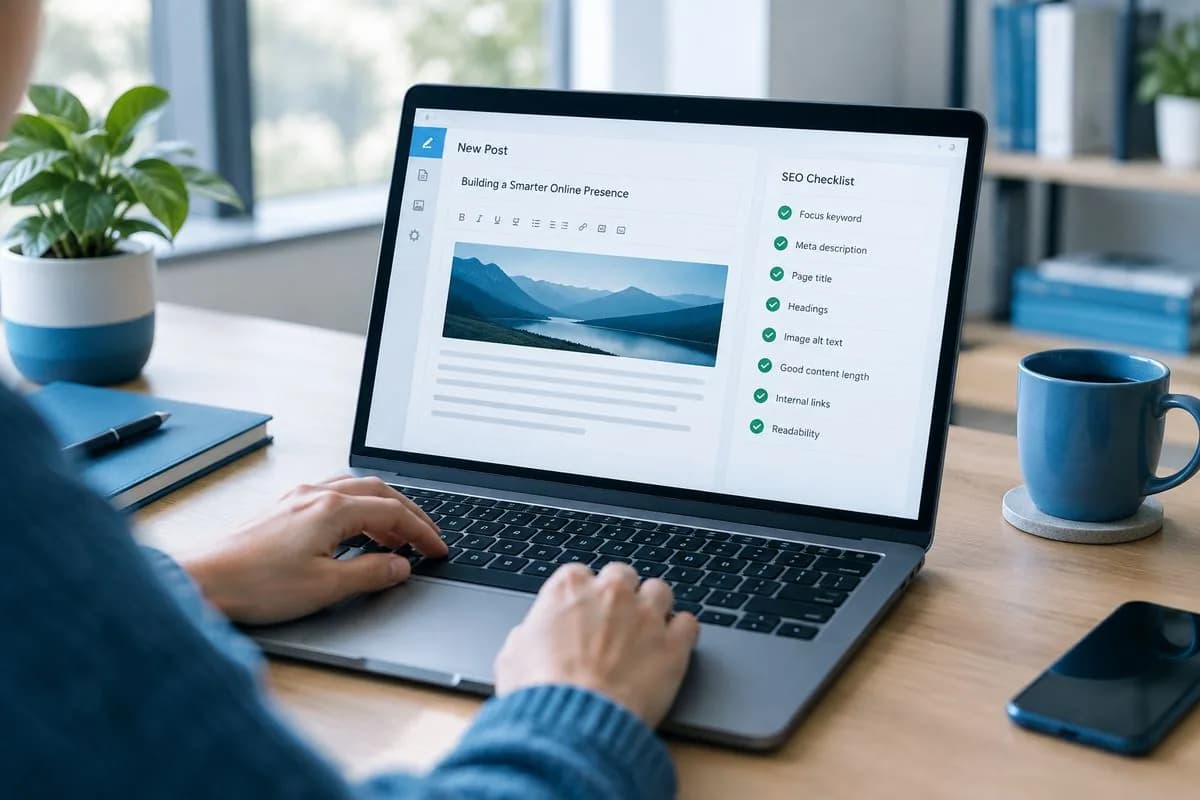
WordPress SEO Guide: On-Page and Technical Essentials
Summarize with:
The complete WordPress SEO guide for 2026. Master on-page optimization, technical SEO, content structure
WordPress is inherently SEO-friendly — it generates clean HTML, supports custom permalinks, and has a massive ecosystem of SEO plugins. But "SEO-friendly" doesn't mean "SEO-optimized." The difference between a WordPress site that ranks on page one and one buried on page five comes down to deliberate optimization across three layers: on-page SEO, technical SEO, and content strategy.
This guide covers all three with specific, actionable steps you can implement today. No vague advice — just the practices that move the needle in 2026's search landscape.
Foundation: WordPress SEO Settings
Before optimizing individual pages, ensure your WordPress installation has the right baseline configuration.
Permalink Structure
Go to Settings > Permalinks and select "Post name" (%postname%). This creates clean, readable URLs like yoursite.com/wordpress-seo-guide instead of yoursite.com/?p=123. Search engines and users both prefer descriptive URLs. This is the single most important WordPress setting for SEO.
Search Engine Visibility
Go to Settings > Reading and make sure "Discourage search engines from indexing this site" is unchecked. This seems obvious, and it is still one of the most common reasons a newly launched site never appears in search: the box gets ticked during development and nobody unticks it at launch.
Install an SEO Plugin
WordPress doesn't include meta descriptions, XML sitemaps, or structured data by default. You need an SEO plugin. Our recommendation: Rank Math (free) or Yoast SEO ($99/year for premium). Both provide the full toolkit you need for on-page optimization.
When setting up your SEO plugin:
- Run the setup wizard and connect Google Search Console
- Set your site title and meta description format
- Enable XML sitemaps and submit them to Google Search Console
- Configure schema markup (Organization for business sites)
- Set "noindex" for tag archives and author archives (unless you have specific content strategies for these)
On-Page SEO: Optimizing Individual Pages
Keyword Research
Every page should target one primary keyword and 2–4 related keywords. Use these tools for research:
- Google Search Console — Shows which queries already bring traffic to your site. Build on what's working.
- Ahrefs / Semrush — Paid tools ($99+/mo) that show keyword difficulty, search volume, and competitor analysis.
- Google's "People also ask" — Free. Search your target keyword and note the related questions Google shows. These are content ideas with proven search demand.
- AnswerThePublic — Visualizes questions people ask about a topic. Great for FAQ sections and blog topics.
Title Tags
Your title tag is the single most influential on-page ranking factor. Follow these rules:
- Include your primary keyword as close to the beginning as possible
- Keep it under 60 characters (Google truncates longer titles)
- Make it compelling — it needs to earn the click from the search results page
- Include your brand name at the end, separated by a pipe or dash
- Use numbers, brackets, or power words to increase click-through rate
Example: "WordPress SEO Guide 2026: Rank Higher with On-Page & Technical SEO | Serverlys" — keyword-first, includes the year for freshness, has a clear benefit, and fits within 60 characters.
Meta Descriptions
Meta descriptions don't directly affect rankings, but they significantly affect click-through rate — which indirectly impacts rankings. Write unique meta descriptions for every important page:
- Keep them between 150–160 characters
- Include your primary keyword (Google bolds matching terms)
- Include a call to action ("Learn how," "Discover," "Get started")
- Summarize the page's unique value — why should someone click your result instead of the one above or below?
Heading Structure (H1, H2, H3)
Proper heading hierarchy helps Google understand your content structure and helps users scan your page:
- H1: One per page. Your page title. Include the primary keyword.
- H2: Major sections of your content. Include related keywords naturally.
- H3: Subsections under H2s. Use for specific points within a section.
- Never skip heading levels (e.g., H1 to H3 without an H2)
- Don't use headings for styling — use CSS for that
Content Optimization
Google's helpful content system rewards content written for humans, not search engines. But you can be helpful AND strategically optimized:
- Answer the search intent. If someone searches "how to speed up WordPress," they want specific, actionable steps — not a 500-word history of WordPress performance.
- Cover the topic comprehensively. Analyze the top 10 results for your keyword and make sure your content covers everything they do — and more.
- Use your primary keyword naturally. Include it in the title, first paragraph, 1–2 headings, and throughout the content. But never force it — if it reads awkwardly, rewrite the sentence.
- Add original value. Include your own data, experience, screenshots, or analysis that competitors don't have.
- Use internal links. Link to 3–5 related pages on your site. This helps Google discover your content and distributes link authority across your site.
Image SEO
Images are often overlooked for SEO, but they contribute to rankings and can drive traffic through Google Image Search:
- Descriptive file names: Use
wordpress-speed-optimization.webpnotIMG_4521.jpg - Alt text: Describe what the image shows, naturally incorporating keywords when relevant. Alt text also helps screen readers for accessibility.
- Compressed file sizes: Large images slow your page, hurting Core Web Vitals. Use WebP format and compress to under 100KB for most images.
- Responsive images: Use WordPress's built-in srcset attribute so browsers load appropriate sizes for each device.
Technical SEO: The Foundation
Site Speed and Core Web Vitals
Page speed has been a Google ranking factor since 2010, and Core Web Vitals made it even more important in 2021. In 2026, the three metrics that matter:
| Metric | Good | Needs Improvement | Poor |
|---|---|---|---|
| LCP (Largest Contentful Paint) | ≤ 2.5s | 2.5s – 4.0s | > 4.0s |
| INP (Interaction to Next Paint) | ≤ 200ms | 200ms – 500ms | > 500ms |
| CLS (Cumulative Layout Shift) | ≤ 0.1 | 0.1 – 0.25 | > 0.25 |
Improving these metrics requires good hosting, proper caching, optimized images, and minimal render-blocking resources. See our WordPress speed optimization guide for detailed steps.
Mobile-First Indexing
Google uses the mobile version of your site for indexing and ranking. This means your mobile site must have the same content, structured data, and meta tags as your desktop version. Test your mobile experience with Google's Mobile-Friendly Test and fix any issues with text size, tap targets, or horizontal scrolling.
XML Sitemaps
Your SEO plugin generates XML sitemaps automatically. Submit them to Google Search Console at yoursite.com/sitemap_index.xml. Make sure your sitemaps include only the pages you want indexed — exclude thin content, duplicate pages, and admin/utility pages.
Robots.txt
Your robots.txt file tells search engines which parts of your site to crawl and which to ignore. A good WordPress robots.txt file looks like:
- Allow crawling of all content pages
- Disallow crawling of /wp-admin/ (except admin-ajax.php)
- Include a reference to your sitemap
- Don't block CSS or JavaScript files (Google needs them to render your pages)
Schema Markup / Structured Data
Schema markup helps Google understand your content type and can result in rich snippets (star ratings, FAQ dropdowns, breadcrumbs, etc.) in search results. Rich snippets significantly increase click-through rates.
Essential schema types for business WordPress sites:
- Organization — Company name, logo, contact info, social profiles
- LocalBusiness — For businesses with physical locations (address, hours, phone)
- Article/BlogPosting — For blog posts (author, date published, headline)
- Product — For ecommerce (price, availability, reviews)
- FAQ — For FAQ sections (enables FAQ rich snippets in Google)
- BreadcrumbList — For breadcrumb navigation (shows site structure in search results)
Rank Math and Yoast both include schema markup generators that add structured data without coding.
SSL and HTTPS
HTTPS has been a ranking signal since 2014. Every page on your site should load over HTTPS with no mixed content warnings. Your hosting provider should include free SSL certificates — if they charge extra, switch hosts.
Canonical URLs
Canonical tags tell Google which version of a page is the "original" when similar or duplicate content exists. WordPress and SEO plugins handle canonicals automatically for most cases, but check them when you have:
- Pages accessible at both www and non-www URLs
- HTTP and HTTPS versions of the same page
- URL parameters that create duplicate content (e.g., pagination, filters)
- Syndicated content that appears on multiple sites
Content Strategy for WordPress SEO
Topic Clusters
Organize your content around topic clusters: a pillar page covering a broad topic (e.g., "WordPress Hosting Guide") linked to cluster pages covering specific subtopics (e.g., "WordPress Speed Optimization," "WordPress Security," "WordPress Plugins"). This internal linking structure signals to Google that you're an authority on the broader topic.
Content Updates
Google prefers fresh content. Review and update your top-performing pages every 6–12 months:
- Update statistics and data with current figures
- Add new sections covering recent developments
- Remove outdated information
- Update the "dateModified" in your schema markup
- Refresh screenshots and examples
The sites that rank consistently in 2026 aren't the ones with the most content — they're the ones that maintain and improve their existing content. A regularly updated 2,000-word guide outranks a stale 5,000-word article every time.
E-E-A-T: Experience, Expertise, Authoritativeness, Trustworthiness
Google's quality raters evaluate content based on E-E-A-T. For WordPress business sites, demonstrate it by:
- Including author bios with real credentials
- Citing sources and linking to authoritative references
- Displaying trust signals (reviews, testimonials, certifications)
- Having comprehensive About and Contact pages
- Sharing first-hand experience and original data when possible
Frequently Asked Questions
Is WordPress good for SEO?
Yes, WordPress is one of the best platforms for SEO. It generates clean HTML, supports custom URLs, has powerful SEO plugins (Rank Math, Yoast), and gives you full control over technical SEO elements. Many of the highest-ranking websites on the internet run WordPress. However, WordPress alone doesn't rank you — you need to actively optimize your content, technical setup, and site speed.
Which is better for SEO: Rank Math or Yoast?
Both are excellent. Rank Math offers more features in its free version (multiple keyword optimization, advanced schema, redirect manager) while Yoast reserves these for its premium plan ($99/year). For most users, Rank Math's free version provides everything needed. Yoast has a longer track record and slightly better documentation. Choose either one — don't install both.
How long does WordPress SEO take to show results?
Expect 3–6 months for meaningful results from SEO work. New content typically takes 2–4 weeks to get indexed, then 2–6 months to reach its ranking potential. Technical fixes (speed improvements, fixing broken links) can show results faster, sometimes within weeks. SEO is a long-term investment — the sites winning in organic search today started their SEO efforts 12–24 months ago.
Do I need to submit my sitemap to Google?
You don't strictly need to — Google can discover your pages through links. But submitting your sitemap through Google Search Console ensures Google knows about all your pages, especially new or updated ones. It also gives you reporting on indexing issues. There's no reason not to submit it — it takes 30 seconds.
How does hosting affect WordPress SEO?
Hosting directly impacts three ranking factors: page speed (Core Web Vitals), uptime (pages that are down can't rank), and security (hacked sites get deindexed). A fast, reliable host with free SSL, proper caching, and good uptime creates the technical foundation that all other SEO work builds on. Cheap hosting with slow servers undermines every other optimization you make.

The author
Serverlys team
The people who run Serverlys hosting, domains and support. We write about what we see every day helping small businesses keep their websites fast, safe and online.
More from Serverlys team